Rust4PM logo: a crab in a miner's helmet swinging a pickaxe at blocks labelled XES and OCEL

Rust4PM.

Process mining in Rust: import, discover and check event data (XES, OCEL 2.0). Use it from Rust, Python, the shell or the browser.

Python
pip install r4pm[polars]
Rust crate
cargo add process_mining
CLI
cargo install r4pm

Quickstart

Each function is written once in Rust. Python, the CLI and Propel call it through the same binding system, so they return the same results.

  • Logs and OCELs stay in a registry on the Rust side. Python only holds string IDs.
  • File formats follow the extension: .xes, .xml, .json, .sqlite and more.
import r4pm

# Load an OCEL 2.0 log into the item registry
ocel = r4pm.import_item('SlimLinkedOCEL', 'orders.xml')

# Discover OC-DECLARE constraints
arcs = r4pm.bindings.discover_oc_declare(ocel)
print(len(arcs), "constraints")

Apps built on Rust4PM

Propel

Browser and desktop

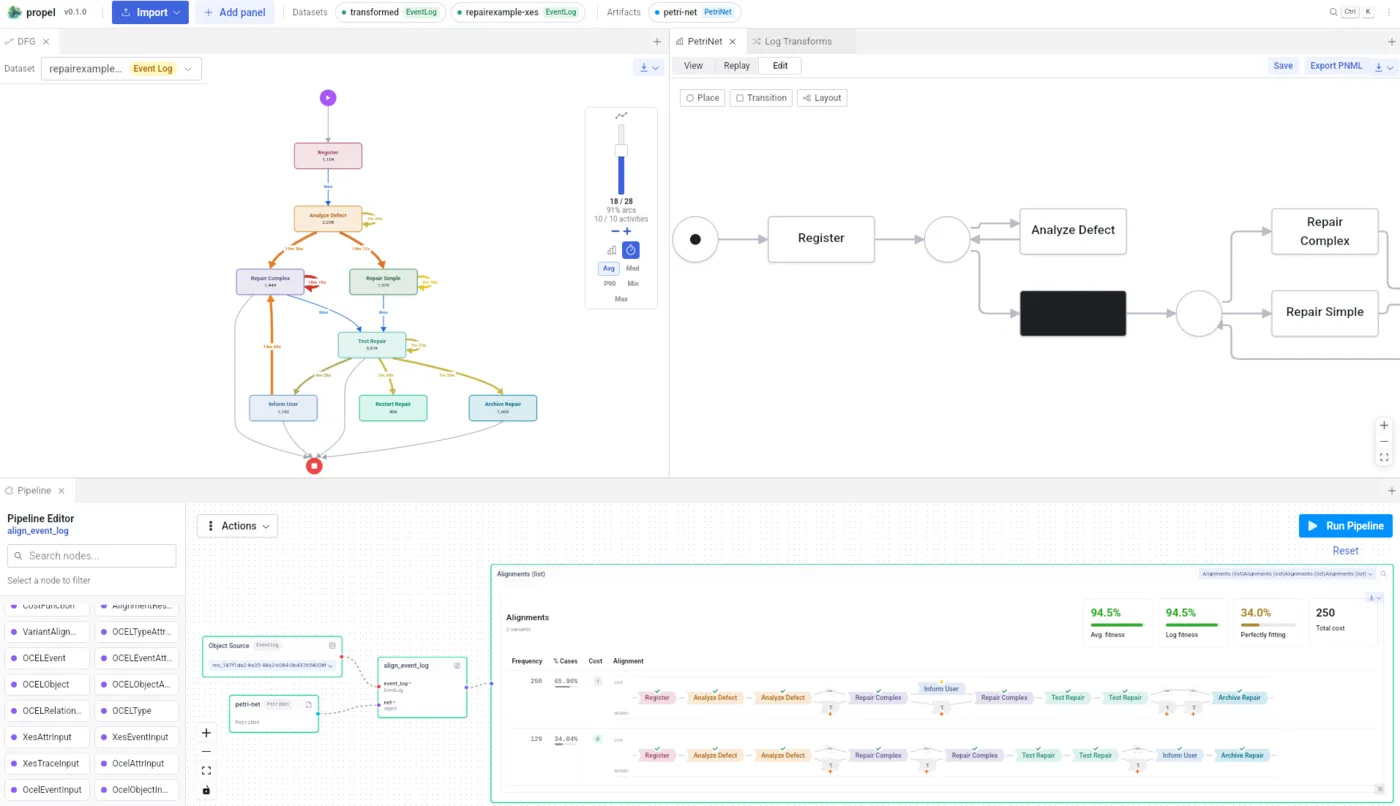
A graphical studio for the same functions. Load a log, discover models and build pipelines without writing code.

  • XES and OCEL 2.0 import by drag and drop
  • Directly-follows graphs with a performance overlay
  • Alignments of a log against a Petri net
  • Every Rust4PM function as a pipeline node
Read the Propel guide
propel.aarkue.eu
Propel showing a directly-follows graph, a Petri net and the pipeline editor

OCPQ

Desktop and Docker

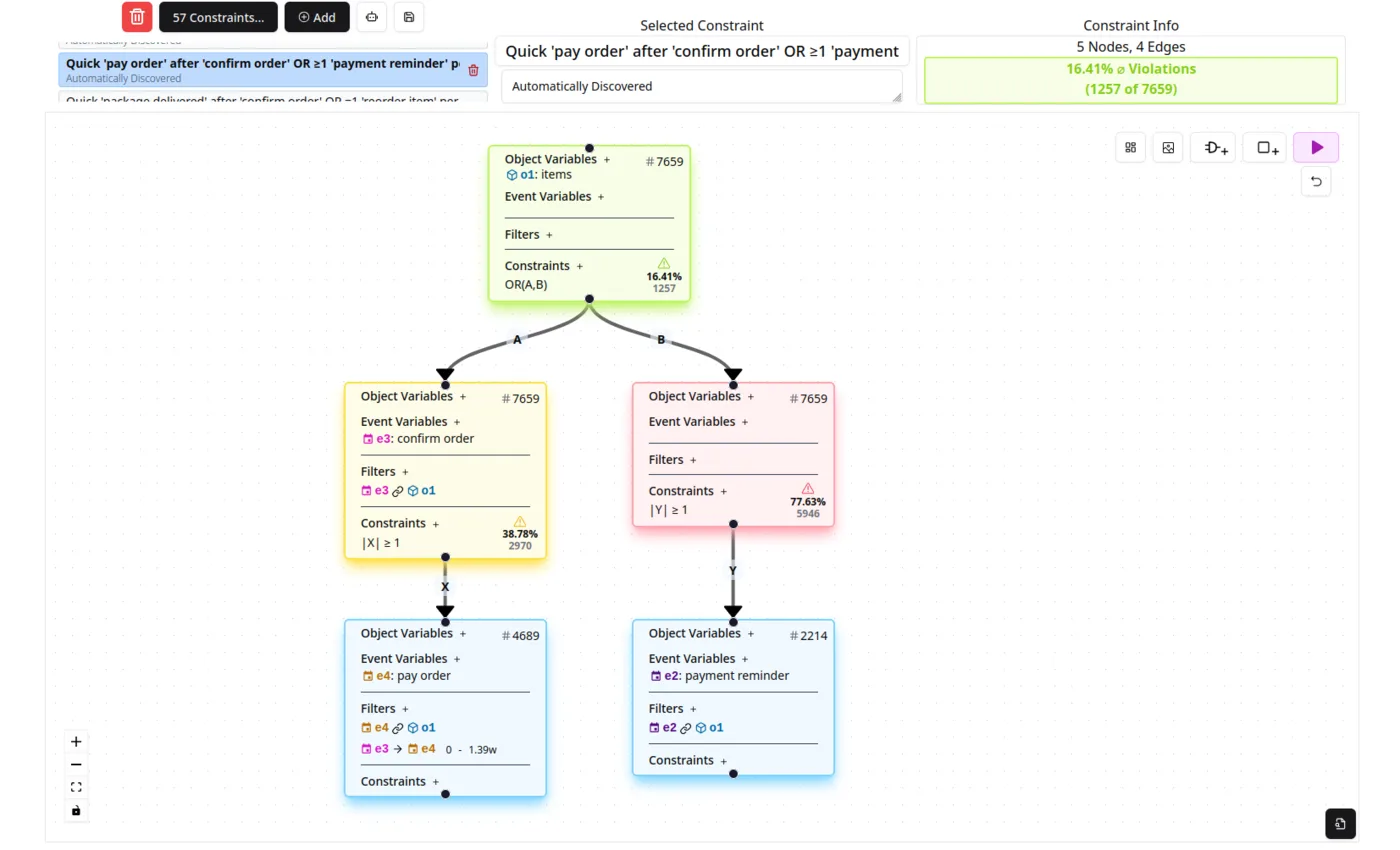
Object-centric process querying. Build queries and constraints on OCEL 2.0 data visually and see their violations right away.

  • Visual, multi-step queries over objects and events
  • A native Rust engine keeps queries interactive on real-life OCELs
  • Import and export of object-centric data
Visit ocpq.aarkue.eu
OCPQ
The OCPQ query editor with a constraint over orders, items and payment reminders